

How to Maximize a Single VPS: Running WooCommerce, Nextcloud, and N8N Side-by-Side


MD ZIAUR RAHMAN
Freelance Linux System Administrator | Open-Source Infrastructure & Automation | Docker • Kubernetes • PostgreSQL • n8n
If you are anything like me, you have probably fallen down the rabbit hole of spinning up a brand-new cloud instance or buying a separate droplet every time you want to launch a new project. Need an e-commerce store? New server. Want a private cloud storage solution? New server. Setting up workflow automations? Yet another server.
Before you know it, you are juggling a half-dozen monthly bills and micro-servers that are barely using 5% of their allocated RAM and CPU.
Recently, I decided to take a step back and consolidate. I wanted to see how far I could push a single, well-optimized Virtual Private Server (VPS) without sacrificing performance, security, or clean architecture.
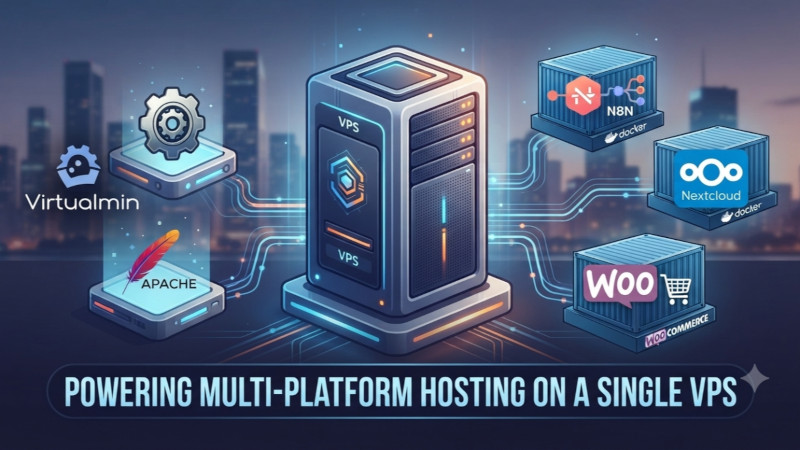
The result? A powerhouse setup running Virtualmin/Apache, Nextcloud, N8N, and an Nginx-powered WooCommerce storefront all coexisting harmoniously on the same machine. Here is why this hybrid model works, how the architecture fits together, and why it might just save you time and money.
The Hybrid Approach: Best of Both Worlds
When building a multi-tenant or multi-application server, sysadmins usually fall into two camps: going 100% traditional monolithic or trying to containerize the entire edge network (which can get overly complex fast).
Instead, I opted for a pragmatic hybrid model:
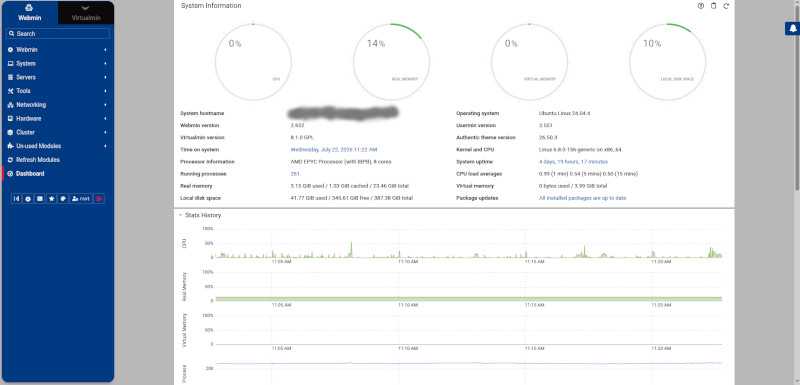
The Traditional Edge (Virtualmin & Apache): Virtualmin acts as the master control panel, seamlessly managing system accounts, DNS records, automated SSL certificates, mail services, and Apache at the edge layer.
The Modern Containerized Core (Docker): Heavy, distinct application workloads—like an enterprise-grade automation engine (N8N), a private file-sharing cloud (Nextcloud), and a high-performance e-commerce engine (WooCommerce)—are securely isolated inside Docker containers.
By letting Apache handle standard traffic entry and proxying, while specialized containers handle the heavy lifting, you get the absolute best of both worlds.
[Disclosure: This post contains a referral link for NSAVE (A secure cross-border financial platform for freelancers and remote workers to hold USD, GBP, and EUR safely offshore). If you sign up using the link below, I may receive a benefit, and you will receive a free month of the Pro subscription.]

Breaking Down the Architecture
Running multiple applications on one server requires a clear “separation of concerns” to prevent dependency conflicts and performance bottlenecks. Here is how the components are mapped out:
-
Traffic Routing & Reverse Proxy: External traffic hits the server via standard ports, where the edge environment catches it, handles SSL termination, and routes requests smoothly to the right destination.
-
The E-Commerce Stack (WooCommerce + Nginx): WordPress and WooCommerce can notoriously be resource-hogging if misconfigured. By running WooCommerce inside a dedicated Docker container backed by an optimized Nginx and PHP-FPM stack rather than a bloated web server setup, page speeds stay lightning-fast. Tuning parameters like client_max_body_size and memory limits also ensures you never hit 502 bad gateway errors when uploading large e-commerce theme zips like WoodMart.
-
Productivity & Automation (Nextcloud & N8N): Running Nextcloud in a container keeps your private file sync completely sandboxed from your web store files. Meanwhile, N8N acts as the invisible glue—automating workflows, syncing customer data, or triggering alerts behind the scenes.
Why This Setup Wins on Cost and Efficiency
1. Maximum Resource Utilization
Most modern VPS configurations—even entry-to-mid-tier ones—come with multi-core CPUs and generous RAM. Running a single lightweight app on them leaves massive amounts of idle overhead. Consolidating your workloads onto one optimized server maximizes your investment.
2. Zero “Dependency Hell”
Because applications like Nextcloud and WooCommerce run inside isolated containers, their PHP versions, database requirements, and package dependencies will never clash with each other or with the host OS. If an update goes sideways on one app, the blast radius is strictly contained.
3. Bulletproof Security Perimeters
Consolidating doesn’t mean leaving doors open. Pairing this architecture with a strict network-level firewall (default-dropping all unlisted ports and only allowing explicit access to necessary services like HTTP, HTTPS, SSH, and mail) ensures your multi-app environment remains locked down tight against automated vulnerability scans.
[NSAVE ফ্রিল্যান্সার এবং রিমোট ওয়ার্কারদের জন্য একটি নিরাপদ ক্রস-বর্ডার ফাইন্যান্সিয়াল প্ল্যাটফর্ম, যার মাধ্যমে নিরাপদে অফশোরে USD, GBP এবং EUR রাখা যায়। এই পোস্টে এর একটি রেফারেল লিংক রয়েছে। আপনি যদি নিচের লিংক ব্যবহার করে সাইন আপ করেন, তাহলে আমি কিছু সুবিধা পাবো এবং আপনি Pro সাবস্ক্রিপশনের এক মাস বিনামূল্যে পাবেন।]

Final Thoughts: Stop Over-Spanning Your Infrastructure
You don’t need a sprawling cloud cluster to run a serious web operation. With smart containerization, proper resource tuning, and a clean reverse-proxy architecture, a single VPS can easily handle an online store, a cloud drive, and automated workflows without breaking a sweat.
How do you manage your self-hosted setups? Are you a fan of pure containerization, or do you prefer a hybrid control-panel approach? Let’s chat in the comments below!
#DevOps #SysAdmin #Docker #WooCommerce #Nextcloud #N8N #WebHosting #CloudComputing #SelfHosted #Virtualmin